In short: Ene Mene Miste is now on the App Store for iPhone and iPad. It turns a list of names into random, balanced teams in under ten seconds: names in, choose the number of teams, shuffle. Skill levels, pairings and exceptions can be set per person and never appear on the projector. Ene Mene Miste works without internet or an account, shows no ads and collects no data.
In July we wrote about why letting children pick teams does harm: when captains take turns picking, the whole group watches a ranking, and someone ends up standing alone. We mentioned a small tool we were working on. Since 16 August it has been on the App Store. Here is a plain account of what it does and what it doesn’t.
Ene Mene Miste is not a learning app for children. It is a tool for the adults who split people into groups: teachers, coaches, youth leaders, parents at a birthday party. The name comes from a German counting-out rhyme, the local cousin of “eeny, meeny, miny, moe”.
How do you get from names to teams?
In three steps.
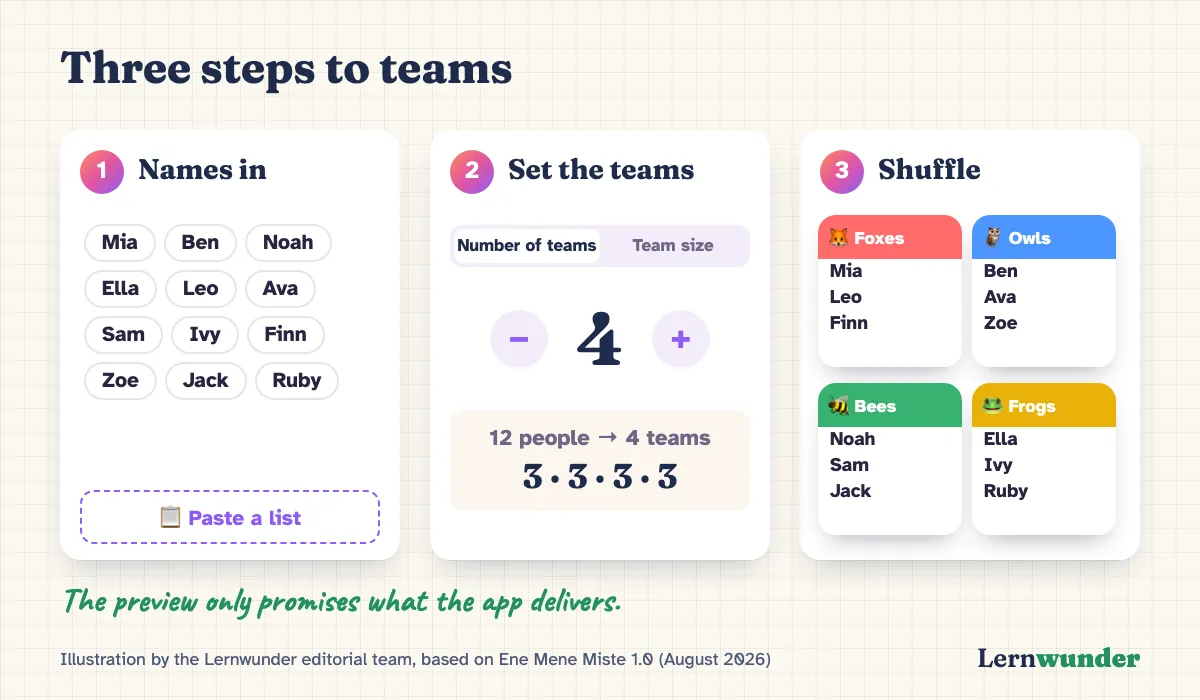
- Names in. Type them one by one or paste a whole class list at once. The app works out whether you used line breaks or commas. To try it out, load a sample list.
- Set the teams. Either the number of teams or the team size. Before you shuffle, a preview shows the outcome, for example “12 people → 4 teams: 3 · 3 · 3 · 3”. That is exactly what you get. If your rules make it mathematically impossible, the app tells you beforehand.
- Shuffle. A box rattles, a counting rhyme plays, and the teams appear as coloured cards named after one of six themes (animals, snacks, space, colours, dinosaurs, fairy tales). On a real device you can also just shake it.
What about skill, friendships and the pair that never stops chatting?
There is no settings page for that. Everything that concerns one person opens with a tap on their name:
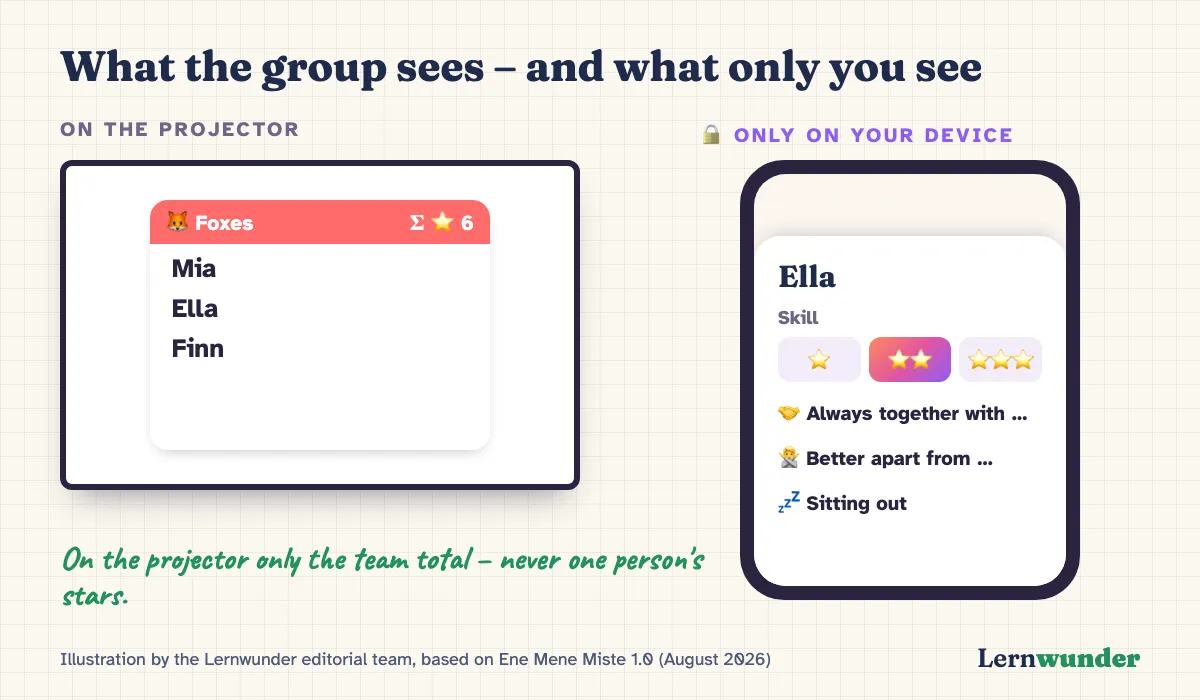
- Skill in three levels (“beginner”, “regular”, “pro”). As soon as you set a skill level, “fair teams” switches on and the app balances the teams accordingly.
- Always together with … for siblings, or a shy child who needs a familiar face.
- Better apart from … for the two who only chat when they are together.
- Sitting out. The person stays on the list but is not assigned today, for example when they are ill.
- Mixed teams. One switch spreads boys and girls evenly. Gender is only asked for if you want this.
Groups such as “Class 4B” or “Thursday football” can be saved and loaded again later, including skill levels and pairings.
Why do the stars never appear on the projector?
Because the app often runs in front of the whole group. Skill ratings are sensitive, and nobody should be able to read off that they got “only one star”. So the stars appear only in the person view that you open yourself. They never show on the overview, on the team cards or when sharing. In fair mode, each team card shows only the sum of its skill levels. That makes it visible that the teams are balanced, without exposing any individual.
This is our answer to what we described in July. In a retrospective survey, people who were picked last as children reported less physical activity later in life (Cardinal et al., 2013). Exclusion threatens basic needs such as belonging and self-esteem (Williams, 2007). And in interviews, young people themselves expressed empathy for the classmates left over in public team picking (Barney et al., 2016). An app cannot solve that problem, but it can avoid projecting a new ranking onto the wall.
What if the result doesn’t fit?
Then move someone. Tap the person in the result, pick another team, done. The algorithm suggests, you decide. You know your group better than any algorithm does.
When you’re happy, share the teams as text in the class chat, through the share sheet, or as a designed image for the notice board. The image is always light so it stays readable in a chat or on a printout.
Who goes first?
The playground counting-out game is built in. The word hops from name to name, and whoever the last word lands on is out, until only one person is left. The app comes with twenty counting rhymes from five countries, all spoken aloud, from “Eeny, meeny, miny, moe” to “One potato, two potato”. Some rhymes stop halfway to ask a child’s age and count on that many steps. In a hurry? Use the quick draw.
On the projector, upright or sideways
Ene Mene Miste runs on iPhone and iPad, in portrait and landscape. On the iPad, the name list and team settings sit side by side, and the result shows team cards in two columns. The app follows the device’s light or dark mode. For the projector you can lock it to “light”, because dark screens are often hard to read there.
The app speaks English, German, French, Spanish and Chinese, and not just as a translation: each language has its own rhymes that children there really chant, and its own team names.
What Ene Mene Miste deliberately doesn’t do
- No internet, no account. The app needs no network. Names and lists stay on your device.
- No ads, no data collection. The app sends nothing. It runs in front of children; advertising has no place there.
- No ratings on the projector. Skill stays private, see above.
- No replacement for your judgement. The app shuffles. Whether a group works, you decide.
What you can do without an app
The methods from our July article still work: counting off, drawing cards, sorting by birthday month, or setting teams in advance. They all share one rule: nobody is ranked in front of the group. The app mainly saves time when you want to take pairings and exceptions into account, and it already has your class list saved.
Frequently asked questions
Do I need an account or internet? No. Ene Mene Miste works fully offline and without signing in. All names stay on your device.
Can students see their skill rating? Only if someone opens the person view on your device. No individual rating appears on the overview, the team cards, the projector or when sharing; in fair mode, only each team’s total is shown.
Is Ene Mene Miste available for Android? At launch, the app is available on the App Store for iPhone and iPad.
Who is it for? Anyone who splits people into groups: at school, at sports practice, in workshops, on game nights or at birthday parties.
Find out more on the Ene Mene Miste page.
Sources
- Barney, D., Prusak, K. A., Beddoes, Z. & Eggett, D. (2016). Picking teams: Motivational effects of team selection strategies in physical education. The Physical Educator, 73(2). https://doi.org/10.18666/TPE-2016-V73-I2-6212
- Cardinal, B. J., Yan, Z. & Cardinal, M. K. (2013). Negative experiences in physical education and sport: How much do they affect physical activity participation later in life? Journal of Physical Education, Recreation & Dance, 84(3), 49–53. https://doi.org/10.1080/07303084.2013.767736
- Williams, K. D. (2007). Ostracism. Annual Review of Psychology, 58, 425–452. https://doi.org/10.1146/annurev.psych.58.110405.085641
Lernwunder editorial team · Chaolan Lu