Names in, fair teams out
Splitting a group into teams rarely takes long – but it always takes long at the exact moment you can least afford it: in front of the class, on the sports field, in a workshop. Ene Mene Miste turns a list of names into random, balanced teams in under ten seconds. And it feels like counting out on the playground, not like configuring administrative software.
The flow is deliberately short: enter the names, choose the number of teams, shuffle. Whole class lists can be pasted in one go – the app works out for itself whether the names are separated by line breaks or commas. Then the box rattles, the counting rhyme pops up word by word, and the team cards glide into view.
The preview keeps its promise
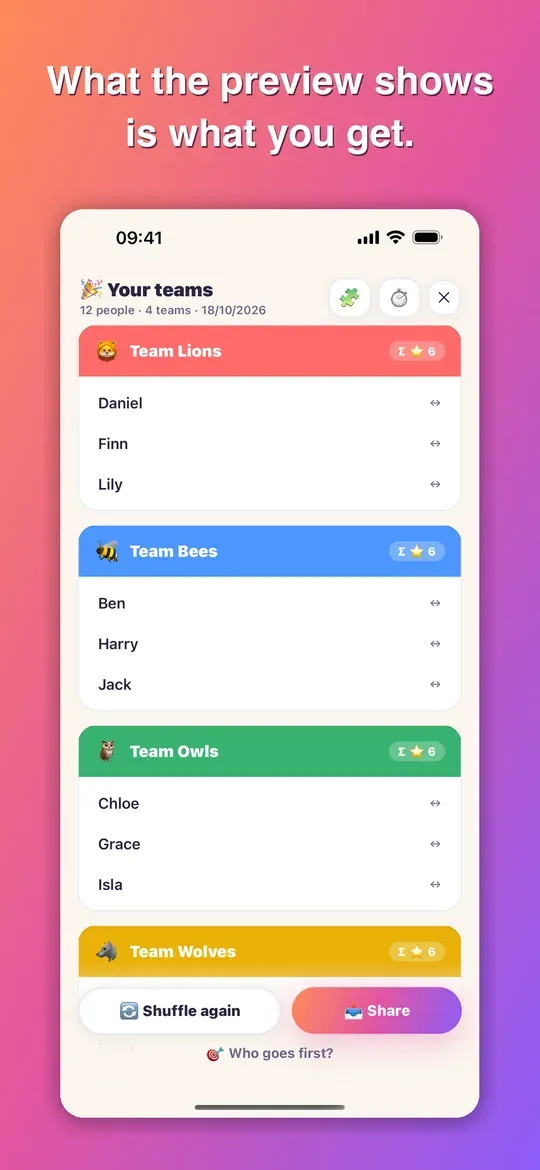
“12 people → 4 teams: 3 · 3 · 3 · 3” appears on screen before you shuffle – and that is exactly what you get. If wishes make a distribution mathematically impossible, the app says so beforehand instead of surprising you afterwards. That sounds obvious, but it isn’t: this is precisely the point where team-picking apps lose their users’ trust.
Everything on the individual person
There is no settings page with dozens of switches. Whatever concerns a particular person sits with that person: a tap on a name opens everything about them.
- Three skill levels – “Still learning”, “Normal”, “Pro”. Three levels are assigned in seconds and are entirely enough in practice.
- Always with … – for siblings, or for a shy child who needs a familiar face nearby.
- Rather not with … – for the two who, from experience, get restless together.
- Sitting out – anyone who is ill or absent stays on the list but isn’t assigned to a team.
- Mixed teams – distributes boys and girls as evenly as possible.
As soon as you give one person a skill level, fair mode switches itself on.
Discretion is the standard, not an option
Skill ratings are sensitive, and the app is often used in public – on the projector in front of the class, in a circle on the sports field. That is why the stars appear only in the person’s own panel, which whoever is running the session opens privately: never in the overview, never on the team cards, never when sharing. Nobody can see that they have “only one star”. In fair mode the team cards show only the total per team – proof that the mix was balanced, without exposing anyone.
Cooperative learning structures
Fair teams are often just the start of the lesson. One tap on “Method” in the result turns the same teams into a way of working – and switching back to “Teams” shows exactly the teams you had before.
- Jigsaw – the teams become expert groups, each with one person from every team. A symbol next to each name shows the home group, so you can see at a glance that the jigsaw is right.
- Team roles – Speaker, Writer, Timekeeper, Materials, Checker and Quiet keeper, assigned at random and re-rolled with a tap, in the expert groups too. The list is yours to change: rename, switch on and off, reorder, add your own roles – up to eight at once.
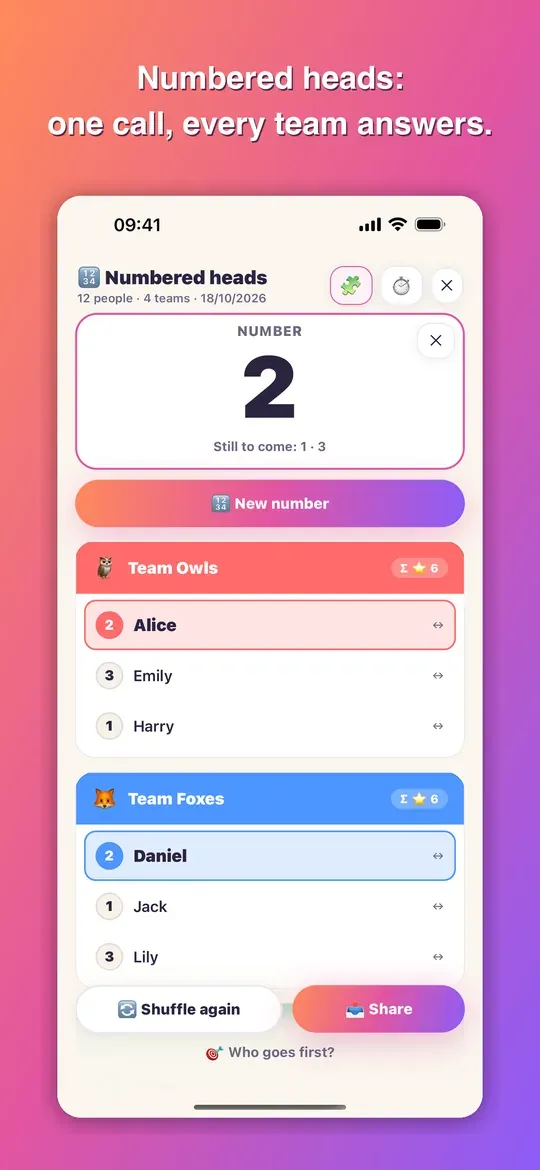
- Numbered heads together – everyone gets a number within their team. “Call a number” shows the number in large type, and in every team the matching person lights up. Each number comes up once before any number repeats.
- Pair work (think-pair-share) – pairs within each team, with keep-together and keep-apart wishes respected. If a team has an odd number, there is one group of three – nobody is left on their own.
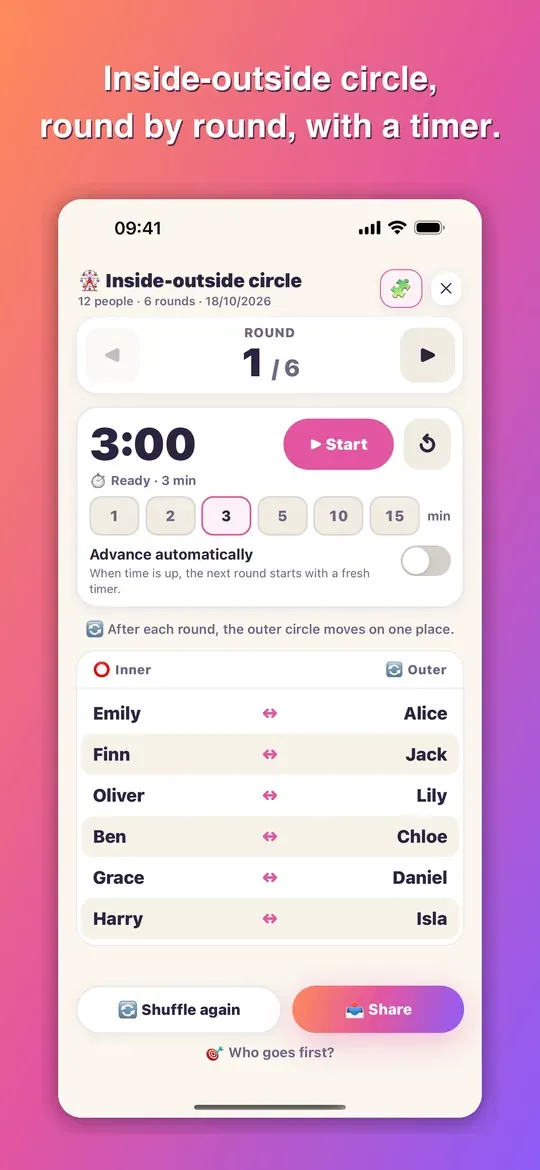
- Inside-outside circle – an inner and an outer circle, round by round. Everyone on the outside meets everyone on the inside exactly once; people who are better kept apart stand in the same circle, so they never face each other. With an odd number, one person moves along with the rotation.
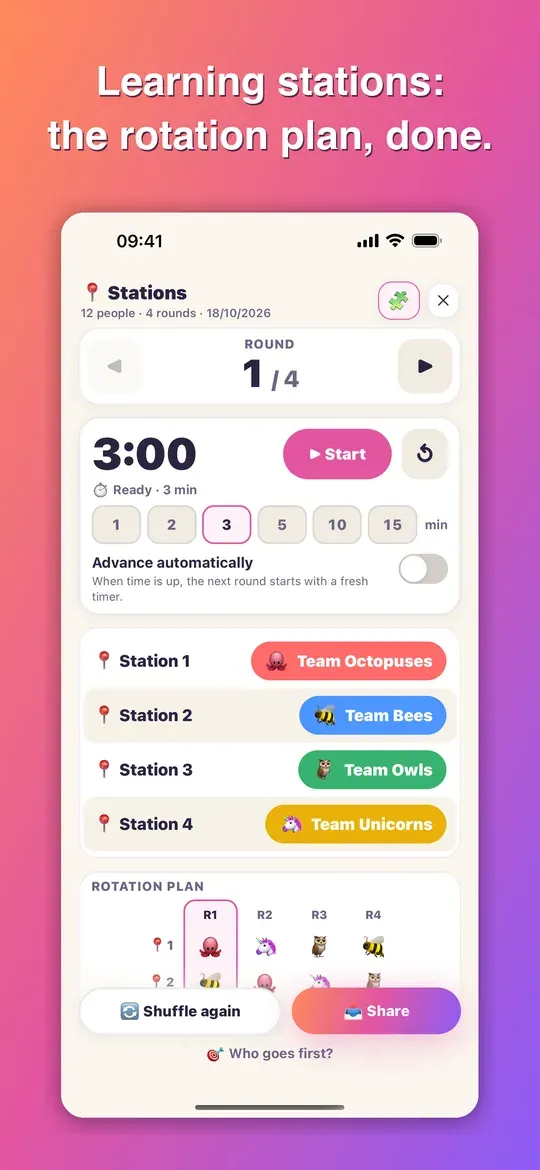
- Learning stations – the rotation plan for a station circuit, even with more stations than teams, with compulsory and optional stations and an adjustable number of rounds. At the top you see who is where right now, below it the whole plan as a table.
For the inside-outside circle and stations, a round timer from 1 to 15 minutes runs alongside: it sounds when time is up and, if you like, starts the next round straight away. In the other views it times work phases. The round, the number called and the time left are shown large enough for the projector – on the iPad in landscape too. Sharing sends what is on screen; for the inside-outside circle and stations, the whole round plan.
Who goes first?
The counting-out ritual from childhood, as a game in its own right: the word jumps from name to name, whoever the last word lands on is out – round after round, until one person is left. Twenty genuine counting-out rhymes from five countries are included, all of them spoken aloud.
Some of them have a follow-up. The German counting rhyme “Eene, meene, muh” (roughly: “Eeny, meeny, moo”) carries on after the hit with “Raus bist du noch lange nicht, sag mir erst, wie alt du bist!” (roughly: “You’re not out yet – first tell me how old you are!”). The person who was hit says their age, the app counts on exactly that many steps, and only whoever the final step lands on is really out. If you’re in a hurry, take the instant draw instead.
Five languages, each with its own rhymes
German, English, French, Spanish and Chinese – and not merely translated, but with the rhymes children in each country actually say out loud. The team names are localised too. Switching languages becomes a game in itself: children change the language just to hear the French rhyme.
The result belongs to you
Not happy with a line-up? Tap the person, move them to another team, done. The app suggests, you decide. And once the teams are set, you share them as text in the class chat, via the share dialogue, or as a designed image for the noticeboard – without typing anything out again.
No internet, no account, no ads
The app needs no connection. It collects nothing, sends nothing and shows no advertising – it is used in front of children, after all. Names and lists stay on the device. Saved groups such as “Year 7b” or “Football Thursday” can be reloaded at any time, along with their skill levels and links. Buy once, done – no subscription, no in-app purchases.
Built for school, sport, workshops, children’s birthday parties and games nights.